
☎
Service Hotline18952707000
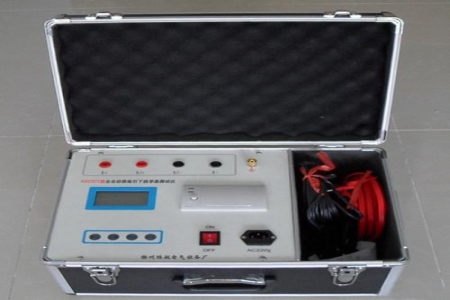
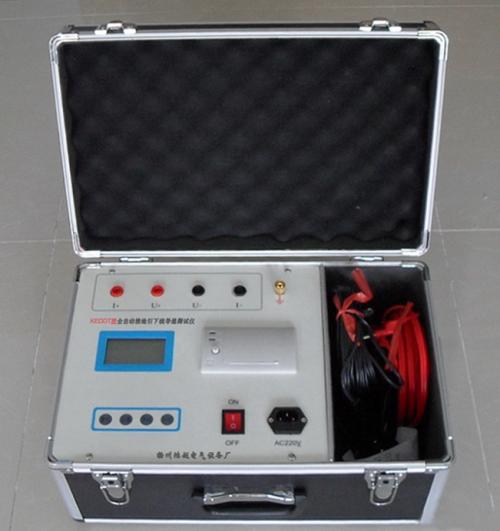
Vacuum Switch Loop Resistance Tester
Darui Electric recommends:
Vacuum Switch Loop Resistance Tester:
Connect per 4-terminal method.
Power on.
Press measure/print. If current <100A, fine-tune via current adjustment.
After measurement, save data. Press measure/print for 3s to print.
Power off after measurement.
Handle test clamps with care.
Tester Parameters:
Tester Model
Tester Name: Circuit Breaker Contact Loop Resistance Tester
1~2999.9μΩ
Resolution: 1μΩ
DC50A、100A
±(0.5% rd+2d)
Continuous operation: 5s-599s
Display: large Chinese LCD
Communication: USB or RS232 serial
AC220V±10% 50Hz
Power: 600W
Max storage: 200 records
-10℃~40℃,:≤80%RH
380×300×260 mm3
Weight: 6kg (excl. accessories)
Insert printer into panel opening, secure with fastening strips.
Install Paper Roll & Load Paper
Open printer cover, pull head plate out ~2cm. Power on printer, paper feeds. Press once to enter offline, hold 1s+ to feed paper.
Self-Test
Power off printer, hold SEL, power on printer for self-test.
Operation
Power on the printer, it feeds three dots of paper and enters standby mode. At this point the indicator light is on, indicating the printer can receive data from the printer interface for printing.
In standby: press once to enter offline (light off). Press again for standby (light on).
Hold button 1s+ to feed paper regardless of LED state.
Press once to pause printing (offline). Press again for online. Hold 1s+ to feed paper.
Replace Ribbon
Replace ribbon when print fades. Open front cover, pull out head plate, replace ribbon.
Note: The above information and technical parameters are compiled and published by Yangzhou Darui Electric Co., Ltd.